
 English (United Kingdom)
  Italiano (Italia)
Indice
Got an old appliance or power tool with a damaged cable or a faulty plug? No worries! In this step-by-step DIY guide, we’ll show you how to safely replace both the power cord and the plug of an electrical device. It’s a quick and easy repair that can bring your equipment back to life in no time.
When It’s Necessary to Replace the Wire or Plug of an Appliance
Sometimes, the wire or plug of an appliance can become damaged externally or break internally.
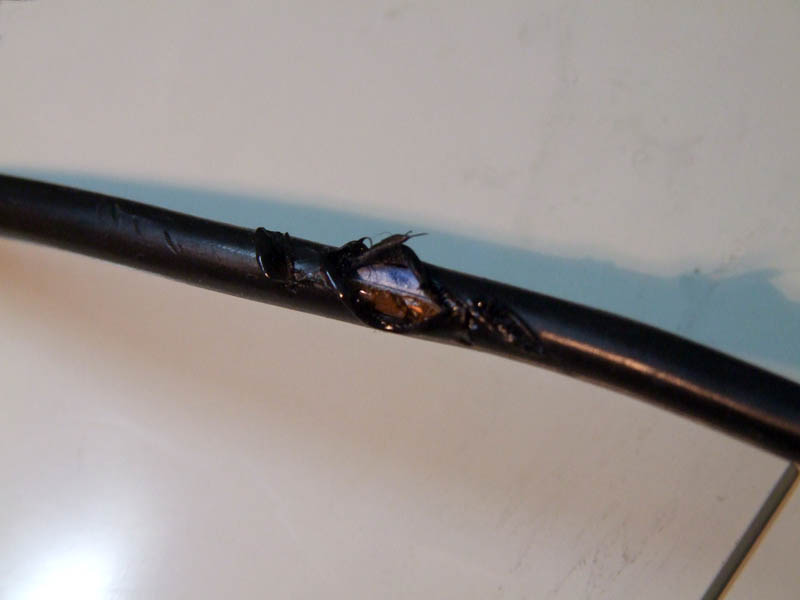
In some cases, the copper wires inside the power cord can snap, preventing the flow of electricity and causing the appliance to stop working. In the example shown in the photo, however, the outer rubber insulation came into contact with the hot surface of a toaster and melted, exposing the internal copper wires. Despite this, the appliance's functionality remained unaffected.
In both scenarios, the wire and plug must be replaced. It is neither allowed nor safe for our personal safety to use electrical tape to insulate exposed wires or splice them together.
How to Replace a Power Cord
Replacing both the power cord and its plug isn't a complicated task, as long as you follow a few simple safety rules.
The first rule, of course, is to unplug the device from the power socket. Only after doing so should you open the appliance to access the terminal block where the power wires are connected. However, if the appliance operates at high voltage (like televisions or microwaves), avoid disassembling it and let specialised technicians handle the task.
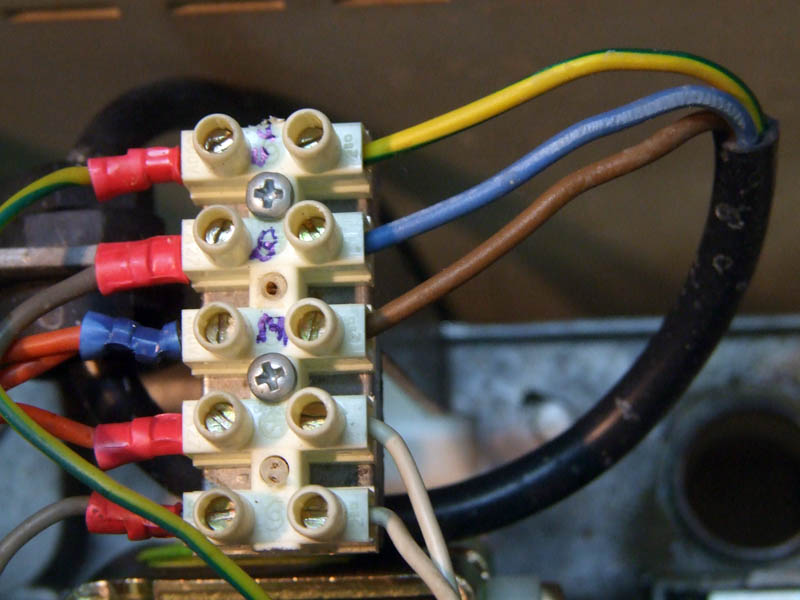
Once you reach the terminal block, mark the colours of the attached wires with a marker, or take a photo to remember the connections. Only then, using an appropriate screwdriver, loosen the screws and release the wires.
Dismantling the Cable Gland
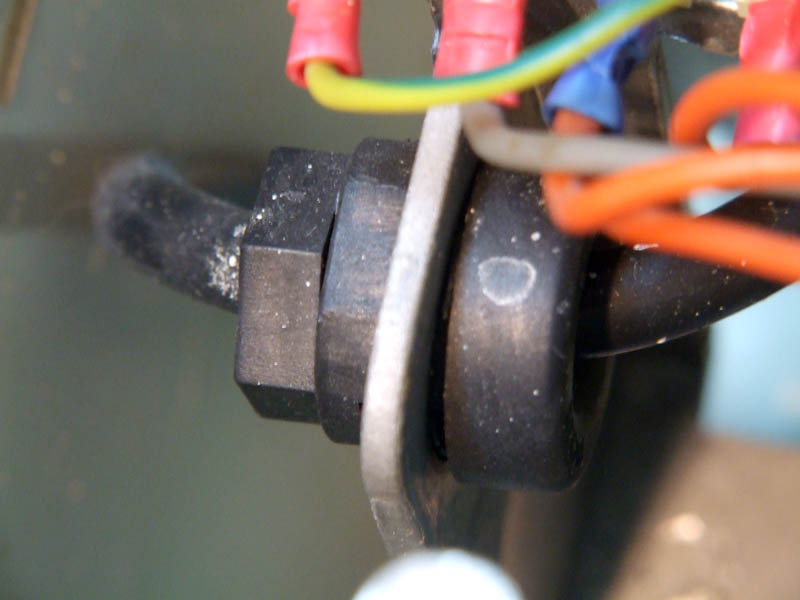
The next step is to dismantle the cable gland to free the power cord so it can be removed.
At this point, you can visit an electrical supplies store or a hardware shop, bringing the old wire as a sample, and purchase a new electrical cord and plug with the same specifications as the ones you’ve removed.
It’s important to check that the plug carries a mark that certifies it has been manufactured in compliance with all mandatory safety standards of the country you're in (for example, in Italy, the IMQ mark and the European CE mark).
The new wire should then be reinstalled inside the appliance, following the disassembly steps in reverse order. Particular care must be taken to reconnect the wires (especially the yellow/green one) in the same position they were originally mounted. For this purpose, the colour labels you wrote on the terminal block earlier or the photo you took will be highly useful.
How to Replace the Plug
Let’s move on to connecting the plug.
First, you’ll need to open the plug by unscrewing the screw that secures it. Then, also remove the two screws of the clamp that holds the cable in place at the plug’s exit.
For the wire, you’ll need to strip about 4 cm of the external insulation. Then, use a wire stripper or electrician's scissors to strip the three internal wires. If these tools aren’t available, you can also use a regular pair of scissors, but you’ll need to proceed more carefully to avoid accidentally cutting any of the copper strands during the stripping process.
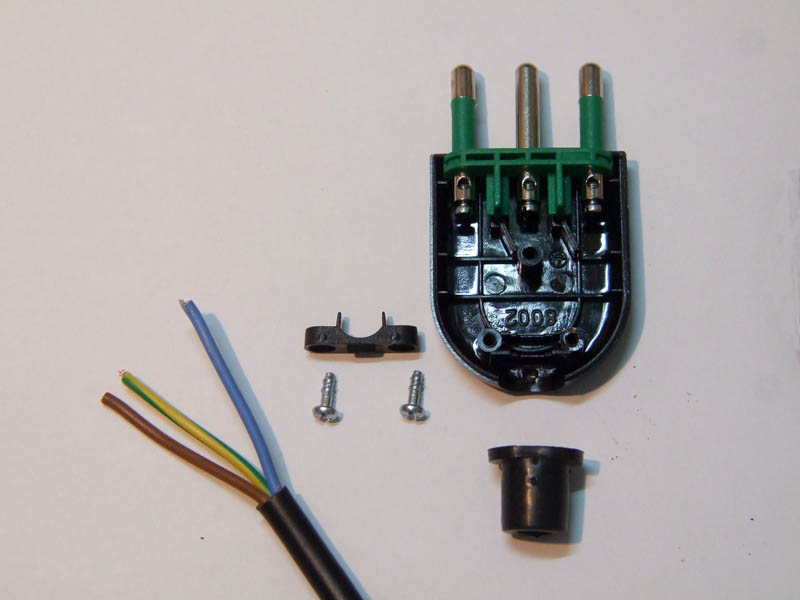
First, insert the perforated grommet of the cable gland immediately (otherwise, if you forget, you'll have to disassemble everything to fit it later). Then, tighten the three wires onto the plug's terminals while paying close attention to the following points:
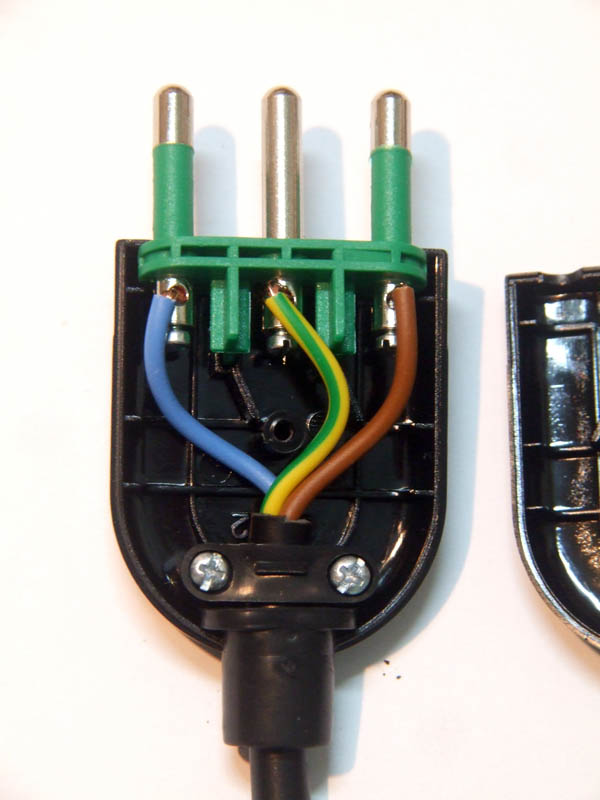
- Attach the yellow/green wire to the terminal of the connector with the grounding symbol; for the plug shown in the photo, this is the central terminal.
- Ensure the stripped part of the wire is not too long, preventing it from touching the other wires.
- Insert all the copper strands fully into the terminal (you might twist them slightly with a clean pair of pliers before inserting the wire) to avoid any loose strands touching the other wires and causing a short circuit.
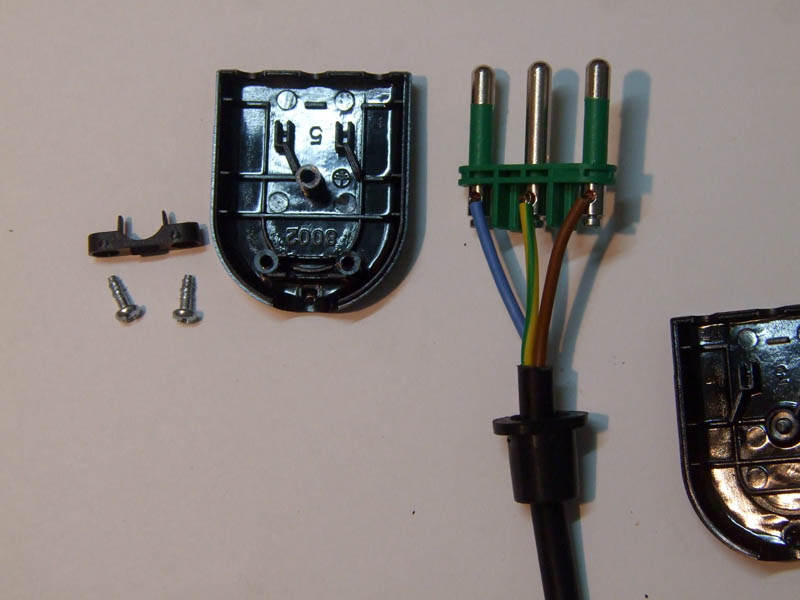
At this stage, reassemble the plug while ensuring the wires are positioned so they do not pass through the centre where the closing screw will go.
Next, attach the two small screws to the clamp that secures the power cord, making sure that it clamps the external sheath of the cable. Then, fit the perforated grommet of the cable gland into place.
Once this is done, all that remains is to close the plug by reassembling the other half of the casing and securing it by tightening the closing screw.
Thank you all
Luciano (Capitan Farloc)